I am a B.Tech Computer Science student, and for the last six months, I lived inside a digital fortress. From May to December, I used Qubes OS as my daily driver on my ThinkPad X1 Carbon Gen 9.
Let me be clear: Qubes OS works exactly how my brain works. I naturally categorize my life—Coding, University, Personal, Finance—and Qubes turns those mental categories into actual, isolated virtual machines. It was the perfect operating system for my mindset.
But recently, I had to format my drive and switch to Fedora i3 Spin.
This isn’t a breakup letter to Qubes. It’s a “See you later.” Here is a technical deep dive into why Qubes is a masterpiece, the specific hardware bottlenecks that forced me out, and why I’m currently building my home in Fedora.
The Hardware Context
To understand my struggle, you need to know my rig. I wasn’t running this on a server; I was running it on a thin-and-light ultrabook:
- Device: ThinkPad X1 Carbon Gen 9
- Specs: Intel Core i5 (11th Gen), 32GB RAM, Integrated Intel Iris Xe Graphics.
- Peripherals: Mechanical Keyboard, Mouse, and a Pen Tablet.
This hardware is fantastic for standard Linux. But for Qubes? It became a battleground.
The “Distro-Hopper” Background
I’ve been in the Linux ecosystem for about 7 years. I used Windows for exactly one week (because it came pre-installed) before wiping it.
My Path: Ubuntu 18.04 → Manjaro → [The Chaos Phase] → NixOS → Gentoo → Qubes OS.
Most people leave Qubes because it’s “too hard.” I left because, as a CS student, I needed raw performance that my i5 processor just couldn’t deliver through the heavy virtualization layer.
What is Qubes? (The “Mental Model” OS)
For beginners: Most operating systems (Windows, macOS, Ubuntu) are like a Monolith. Your browser, your kernel, and that malicious PDF you just downloaded all live in the same house. If the PDF explodes, the house burns down.
Qubes is like a Submarine. It uses the Xen Hypervisor to separate everything into watertight compartments called “Qubes.”
- Dom0: The Admin Console. It has NO network access. It only manages the windows.
- AppVMs: Where you actually work (Personal, Work, Vault).
- sys-net: A sacrificial VM just for your network management.
If you get hacked in your “Personal” Qube, your “Banking” Qube (and the rest of the system) doesn’t even know it happened.
The Technical Reality: My “Paranoid” Setup
I didn’t run a stock setup. I wanted to push the security model to its limit.
1. The Network Struggle: Volatility & MAC Chaos
I configured my sys-net (Network VM) as a Disposable VM. This meant every time I rebooted, it was wiped clean. This caused a massive headache with my university Wi-Fi:
- The Feature: Qubes randomizes your MAC address by default for privacy.
- The Conflict: My college Wi-Fi uses MAC binding to identify users. We are allowed only 4 devices per student, and the login session refreshes every 8 hours.
- The Consequence: Every time
sys-netrebooted or randomized my MAC, the network saw me as a “new” device. I had to manually log in to the captive portal again and again. Often, I’d hit the 4-device limit because the system thought my previous session was a different laptop, locking me out until the 8-hour refresh cycle cleared.
2. The USB Airlock (Keyboard & Mouse)
Because my USB controller was isolated in a volatile sys-usb, my peripherals were constantly fighting me.
- I use a mechanical keyboard and external mouse. If I closed my laptop lid or rebooted, the USB connection would reset.
- I’d have to use my laptop’s built-in keyboard to manually “attach” my external keyboard to the specific VM I was working in.
- The Friction: If my keyboard was attached to my “Code” VM, I couldn’t use it to switch workspaces in i3, because the window manager runs in
Dom0!
3. The Networking Maze (5 VPNs + Tor) I had roughly 15 browser instances open across different VMs. To the internet, I looked like two completely different people on opposite sides of the planet. No shared cookies, no shared fingerprint. For a privacy nerd, this is heaven.
The Breaking Point: Hardware vs. Security
The security was addictive, but the hardware friction eventually broke me.
1. The Pen Tablet Nightmare
I use a Pen Tablet for notes and diagrams. In Qubes, USB devices are untrusted by default. To make it work, I had to pass the USB device from sys-usb to my specific AppVM.
Tablets are tricky—they need mapping for pressure sensitivity and screen area. Trying to get the X1 Carbon’s touchscreen and an external tablet to work seamlessly inside a virtualized environment caused massive input lag.
2. No Hardware Acceleration (The Flicker) Qubes protects you by NOT letting VMs access your GPU directly.
- The Consequence: My i5 CPU had to do all the graphics rendering.
- The Reality: Watching 4K videos caused flickering. Scrolling heavy docs caused tearing. The smooth “premium” feel of the X1 Carbon completely vanished.
Why I Switched to Fedora i3 (For Now)
I realized I was spending 70% of my time managing my OS and 30% doing actual work. I needed to flip that ratio.
I moved to Fedora i3 Spin for two main reasons:
1. Hardware Access & Local AI This is the big one. I am currently experimenting with local Large Language Models. On Qubes, running these was impossible. The RAM partitioning meant I couldn’t allocate enough contiguous memory for large models. On Fedora, I have direct metal access to all 32GB of RAM. I can open a terminal and run:
ollama run deepseek-r1:32b
Yes, really. It runs. I can load heavy 32B parameter models, run Docker containers, and compile code without the virtualization overhead eating my resources.
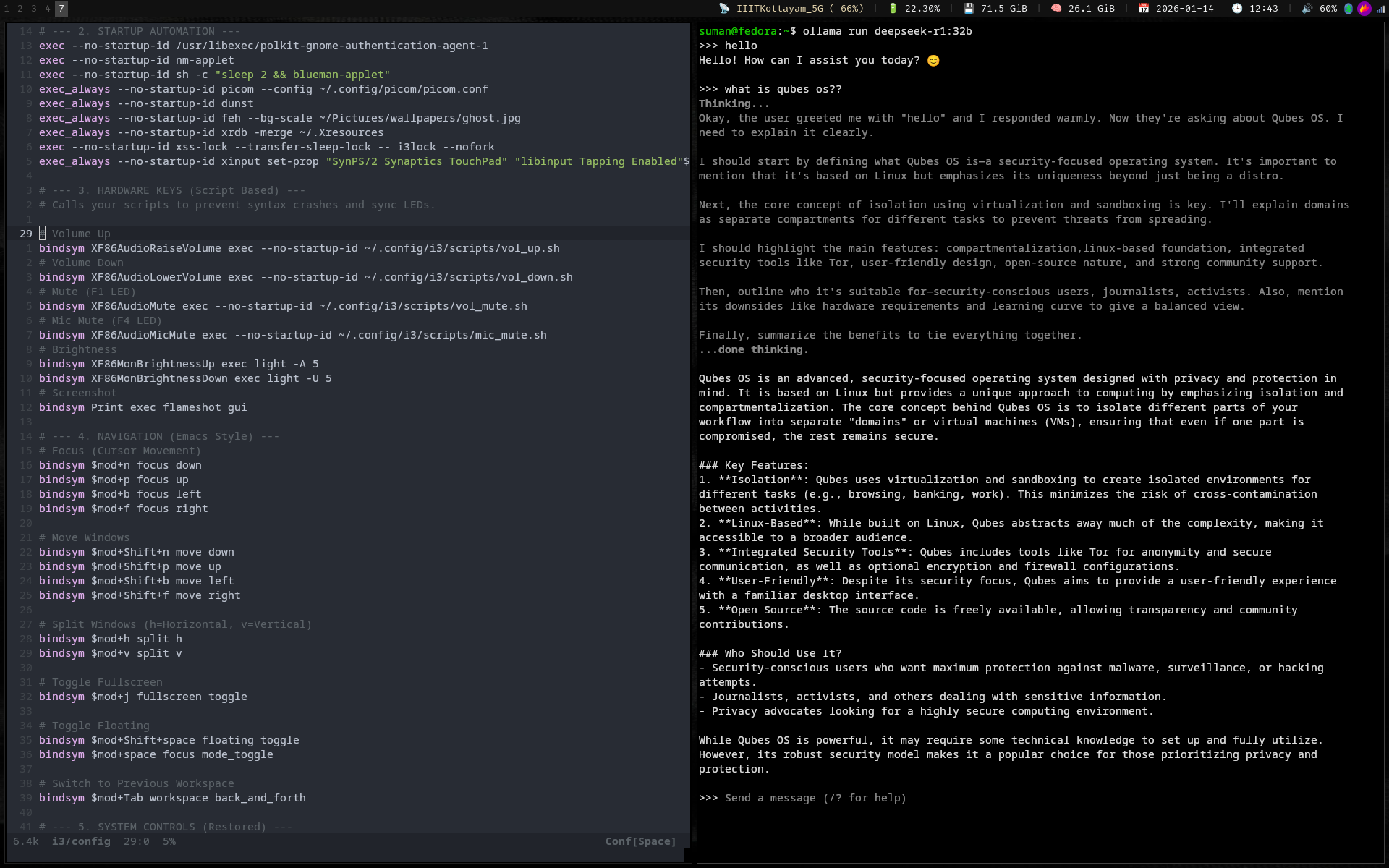
2. “It Just Works” Stability I kept my workflow (Alacritty + Emacs + Librewolf + i3wm), but now:
- My Wi-Fi auto-connects (and the MAC address stays stable!).
- My Pen Tablet and Touchscreen work out of the box.
- I can close my laptop lid without my USB keyboard disconnecting.
Verdict: I Will Return
I am not leaving Qubes because it’s bad. I am leaving because it is ahead of my hardware.
Qubes OS requires a machine with massive RAM and a CPU that can handle heavy virtualization without sweating. Currently, as a student, I need my ThinkPad to be a utilitarian tool, not a fortress.
But the moment I upgrade to a workstation? I am going back. Once you experience the mental clarity of having your digital life sorted into “Qubes,” it’s hard to live any other way.
Until then, Fedora i3 is a fantastic, stable home.